
Referrer Image Access
If you have registered an Intelepacs account with us you can access imaging done by RADIUS Imaging from anywhere in Australia using our InteleConnect Web Portal.
InteleConnect is a web-based clinical viewer, providing referring physicians and clinicians with real-time access to patient images and reports. It’s intuitive, easy to use, there is no software to install and it runs on multiple platforms including mobile/tablet devices. It also enables you to set up email notifications advising you that your patients’ images are available.
Please read our FAQs below for more information.
STEP 1 – SET UP INTELECONNECT
- Open your web browser
- In the URL type address: https://images.radiusimaging.com.au/Portal/
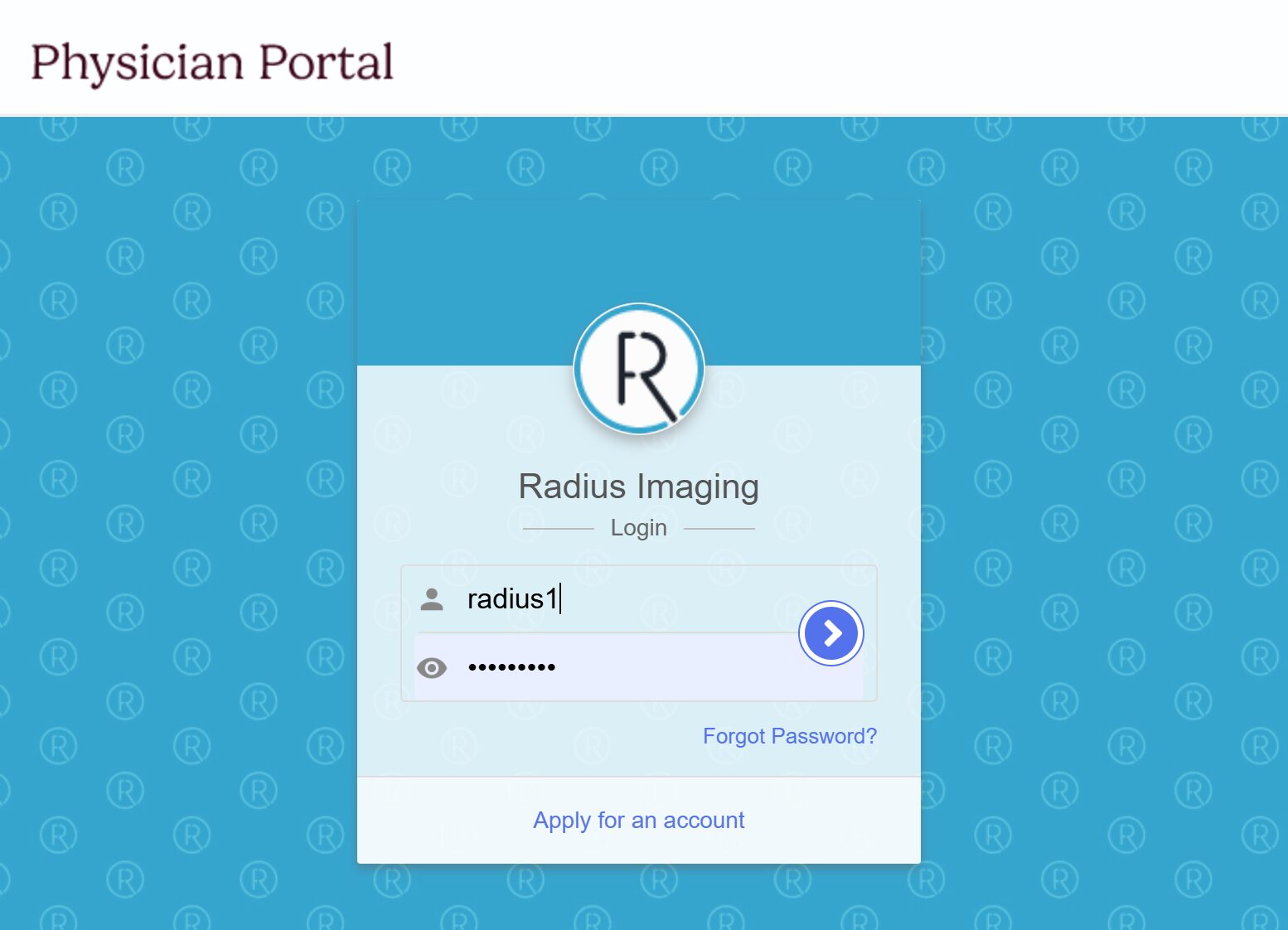
- You will land on the page shown below
- Log in with your usual RADIUS Imaging credentials
STEP 2 – SET UP EMAIL NOTIFICATIONS
Setting up email notifications within InteleConnect allows you to receive notification emails when your patients’ images and reports are ready to view.
Once logged in:
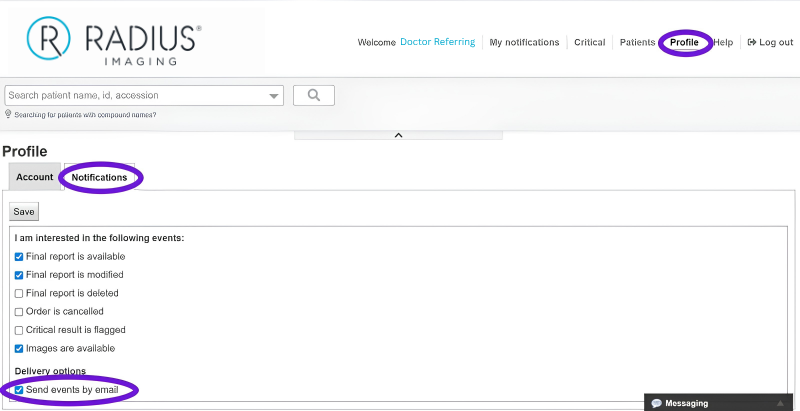
- Click the Profile Tab
- Click notifications
- Select the events you would like to be notified about
- Select “Send events by email”
- Save
Once set up you will receive email notifications when your patients’ reports and images are available to view.
Your email will look like the example below:
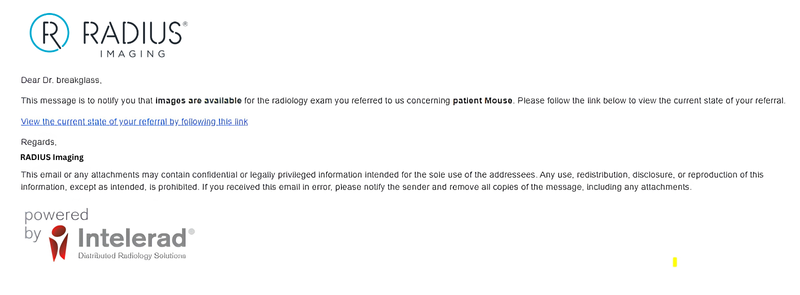
If you click on the embedded link you will be prompted to log in to the InteleConnect portal to view the images and reports available.
STEP 3 – HOW TO CHECK NUMBER OF PATIENT REPORTS READY FOR VIEWING
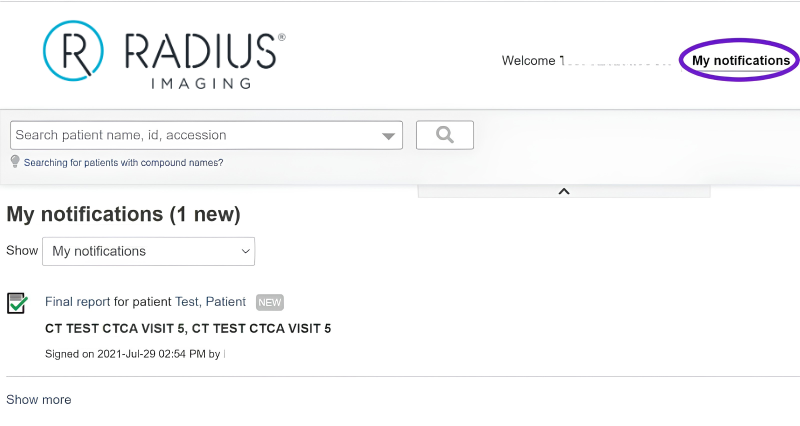
Click on the notifications tab within the InteleConnect portal. This will provide a list of patient reports available for those patients you have referred to RADIUS Imaging.
If you require remote support to set up InteleConnect, please contact our service desk by email on info@radiusimaging.com.au